

Download EaseUS Data Recovery Wizard Free – data recovery, free recovery tool, file recovery, recover deleted files, recover data from USB
Overview
EaseUS Data Recovery Wizard Free Edition is a specialized utility designed to assist users in recovering lost or deleted data from various storage devices. The app targets individuals and professionals who have experienced data loss due to accidental deletion, formatting, system crashes, or malware attacks. It is particularly useful for those who need a reliable, no-cost solution for retrieving up to 2GB of data without requiring technical expertise. The software supports a wide range of storage media, including internal hard drives, USB flash drives, SD cards, and memory cards, making it versatile for both personal and professional use cases.
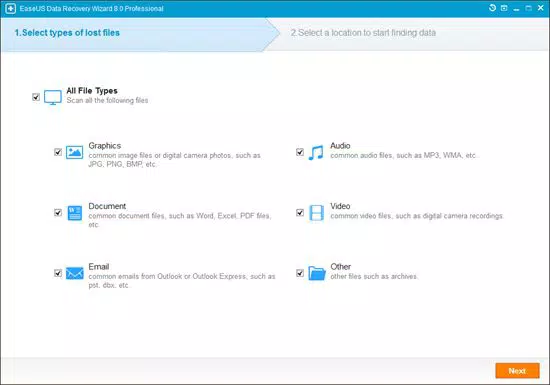
Designed with a wizard-based interface, the tool simplifies the recovery process, enabling even novice users to navigate through the steps with minimal confusion. Its ability to recover files from formatted disks, dynamic disks, and lost partitions sets it apart from many free alternatives in the market. The software preserves original file names and folder structures, enhancing the usability of recovered data. While the developer did not provide additional technical details about the underlying recovery algorithms, the app’s focus on safe, non-destructive recovery suggests a commitment to data integrity.
Within the broader ecosystem of data recovery tools, EaseUS Data Recovery Wizard Free Edition fills a critical gap by offering a powerful, free-tier solution that balances functionality with accessibility. It is especially valuable in emergency scenarios where immediate data retrieval is essential. The app’s availability on Windows platforms and support for multiple file systems—such as FAT12, FAT16, FAT32, NTFS, exFAT, HFS+, and EXT2/EXT3—further broadens its applicability across diverse computing environments.
Key Features & Functionality
- Recovery from Multiple Data Loss Scenarios: The app can recover files lost due to deletion, formatting, partition loss, system crashes, or virus attacks, making it suitable for a wide range of real-world incidents.
- Support for Various Storage Devices: Users can recover data from internal hard drives, USB drives, SD cards, and memory cards, ensuring flexibility across different hardware setups.
- Preservation of File Structure: Recovered files maintain their original names and folder paths, reducing the need for manual reorganization after recovery.
- Wizard-Style Interface: The guided recovery process simplifies navigation, allowing users with minimal technical knowledge to complete recovery tasks efficiently.
- Free 2GB Recovery Limit: The free version allows retrieval of up to 2GB of data, providing a meaningful safety net for small to medium-sized data recovery needs.
For example, a user who accidentally deletes important documents from a USB drive can use the app to scan the device and restore the files. Similarly, someone who formats a memory card during a photo shoot can attempt recovery before reusing the card. The tool’s ability to work with dynamic disks and corrupted file systems adds resilience in complex recovery situations. Although the developer did not list formal performance metrics, the software’s design suggests optimized scanning and recovery processes to minimize time and system load.
Interface, UX & Performance
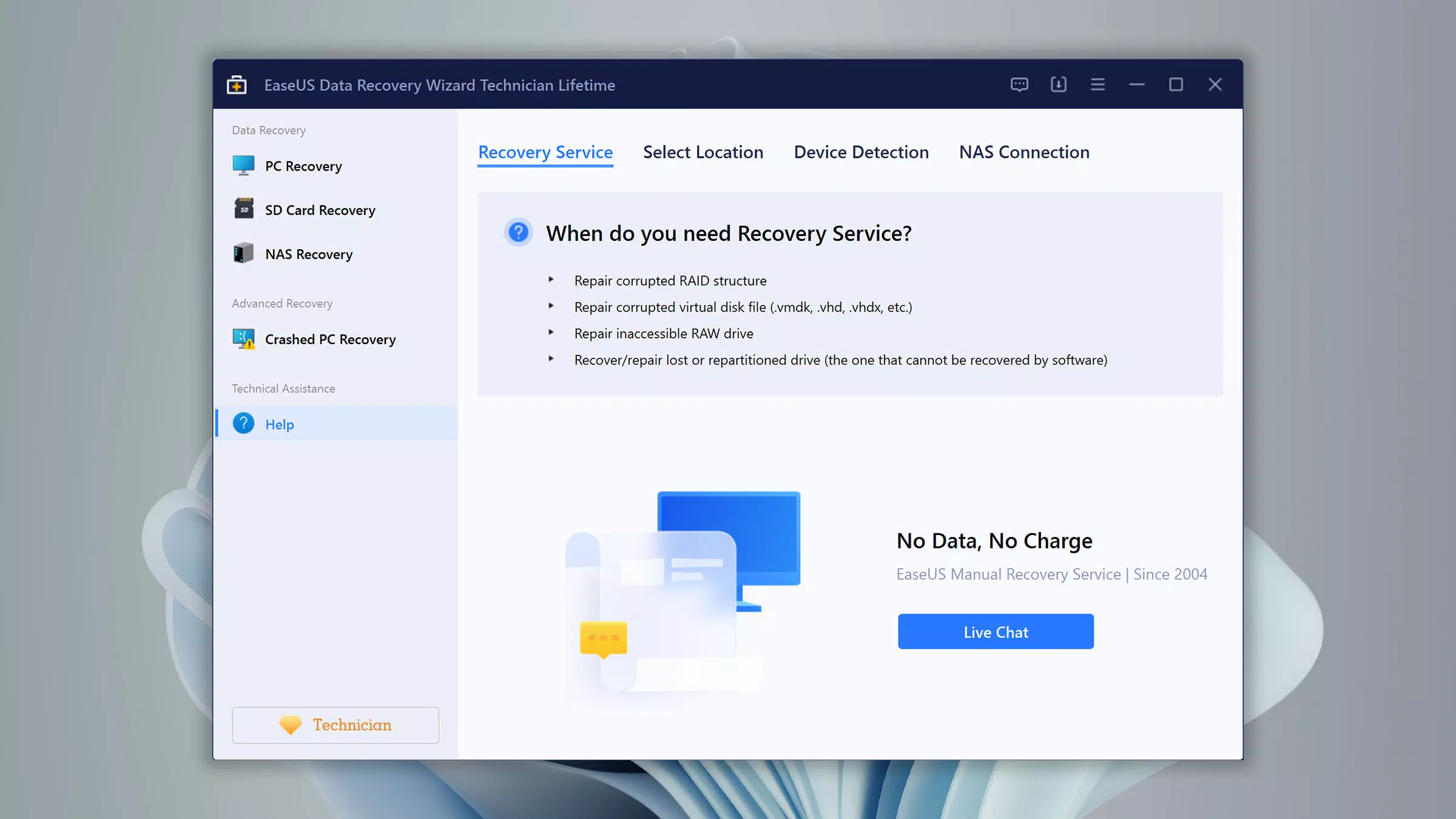
The user interface of EaseUS Data Recovery Wizard Free Edition is structured around a step-by-step wizard, which guides users through each phase of the recovery process. The layout is clean and intuitive, with clearly labeled buttons and visual indicators for scan progress and file status. Navigation is linear and predictable, reducing the risk of user error during critical recovery operations.
Visual design emphasizes functionality over aesthetics, with a focus on clarity and ease of use. Menus are straightforward, and essential actions—such as selecting a drive or initiating a scan—are prominently displayed. The app responds promptly to user inputs, and the scanning process appears stable across different device categories. Although the developer did not list formal performance metrics, the tool’s responsiveness during scans and file previews indicates efficient resource management.
Stability is a key strength, as the software operates without crashing during typical recovery tasks. It does not interfere with other system processes, ensuring that users can continue using their computers while recovery scans run in the background. The app’s lightweight footprint—125.5 MB—contributes to its smooth operation on systems with limited resources. While no specific compatibility details were provided for older or low-end devices, the app’s design suggests broad compatibility with standard Windows configurations.
Platform Compatibility & Technical Requirements
EaseUS Data Recovery Wizard Free Edition is available exclusively for the Windows platform. It supports a wide range of Windows operating systems, including Windows 2000, XP, 2003, Vista, 2008, Windows 7, 8, and newer versions. The app’s software version is 15.0.0, with a file size of 125.5 MB. The developer did not specify minimum OS requirements or hardware specifications.
Given the app’s broad OS support, it can be installed on both legacy and modern Windows systems. The file size is relatively modest, which makes it suitable for users with limited storage space or slower internet connections. The tool does not require administrative privileges to run, though access to storage devices may depend on system-level permissions. The developer did not disclose details about required RAM, CPU, or disk space beyond the app size.
Pros and Cons
Pros
- Free to use with a 2GB recovery limit, making it accessible for casual users.
- Supports recovery from USB drives, SD cards, hard drives, and memory cards.
- Preserves original file names and folder structures after recovery.
- Simple wizard-based interface ideal for beginners.
- Compatible with multiple file systems and older Windows versions.
Cons
- Recovery limit of 2GB may restrict use for large-scale data recovery.
- Only available for Windows, limiting cross-platform accessibility.
- Developer did not provide detailed technical specifications or performance benchmarks.
- Advanced features are locked behind a paid upgrade.
- Does not support macOS or Linux platforms.
FAQ
Is EaseUS Data Recovery Wizard Free safe to use?
The app is designed to perform non-destructive scans and recovery operations, meaning it does not alter or overwrite existing data during the process. This ensures data safety during recovery attempts.
Can I recover data from a formatted drive?
Yes, the software is capable of recovering files from formatted drives, including those formatted with FAT, NTFS, exFAT, and other common file systems.
What types of files can be recovered?
The app supports recovery of various file types, including documents, photos, videos, audio files, and archives, as long as they are not overwritten.
Is the free version limited to 2GB of data?
Yes, the free edition allows recovery of up to 2GB of data. Any data exceeding this limit requires a paid upgrade.
Does the app require installation?
Yes, the software requires installation on a Windows system. It is not available as a portable or web-based tool.
Final Thoughts
EaseUS Data Recovery Wizard Free Edition stands out as a reliable, user-friendly solution for individuals facing unexpected data loss. Its ability to recover files from multiple sources—including USB drives, SD cards, and hard drives—combined with a simple wizard interface, makes it an essential tool for both beginners and experienced users. While the 2GB recovery limit and lack of cross-platform support are notable constraints, the app delivers strong value for its free tier.
It is particularly beneficial for students, photographers, and home users who need a quick, secure way to retrieve lost files without technical complexity. The software’s compatibility with older Windows systems ensures broad accessibility across diverse computing environments. For those seeking a trustworthy, free data recovery tool, EaseUS offers a compelling balance of functionality and ease of use.
Download EaseUS Data Recovery Wizard Free now


